
Rivers, four belts and an easier Market
Many worlds now have mountain ranges, rivers and lakes, every system gets four belts and Mining Surges, bounty sites double, and the Market lists every item from every station in one place.
Many worlds have new mountain ranges, valleys, rivers and lakes. Every system with room has four asteroid belts and a new Mining Surge event, bounty sites double, and the Market's Browse tab lets you buy and sell any item from any station in one list. Smaller weapons fit bigger mounts, the game's Database is on the website, and clans get a new window with a Stats tab. Thank you for the reports behind every fix.
New
Planets
- Mountains and rivers. Temperate, Ocean and Jungle worlds have new mountain ranges and valleys, Desert worlds mesas and canyons, Glacial worlds deep troughs and Volcanic worlds rifts. Most worlds with seas have rivers and lakes that run down to the coast. Colonies and spaceports stand on the same ground as before.
Mining and hunting
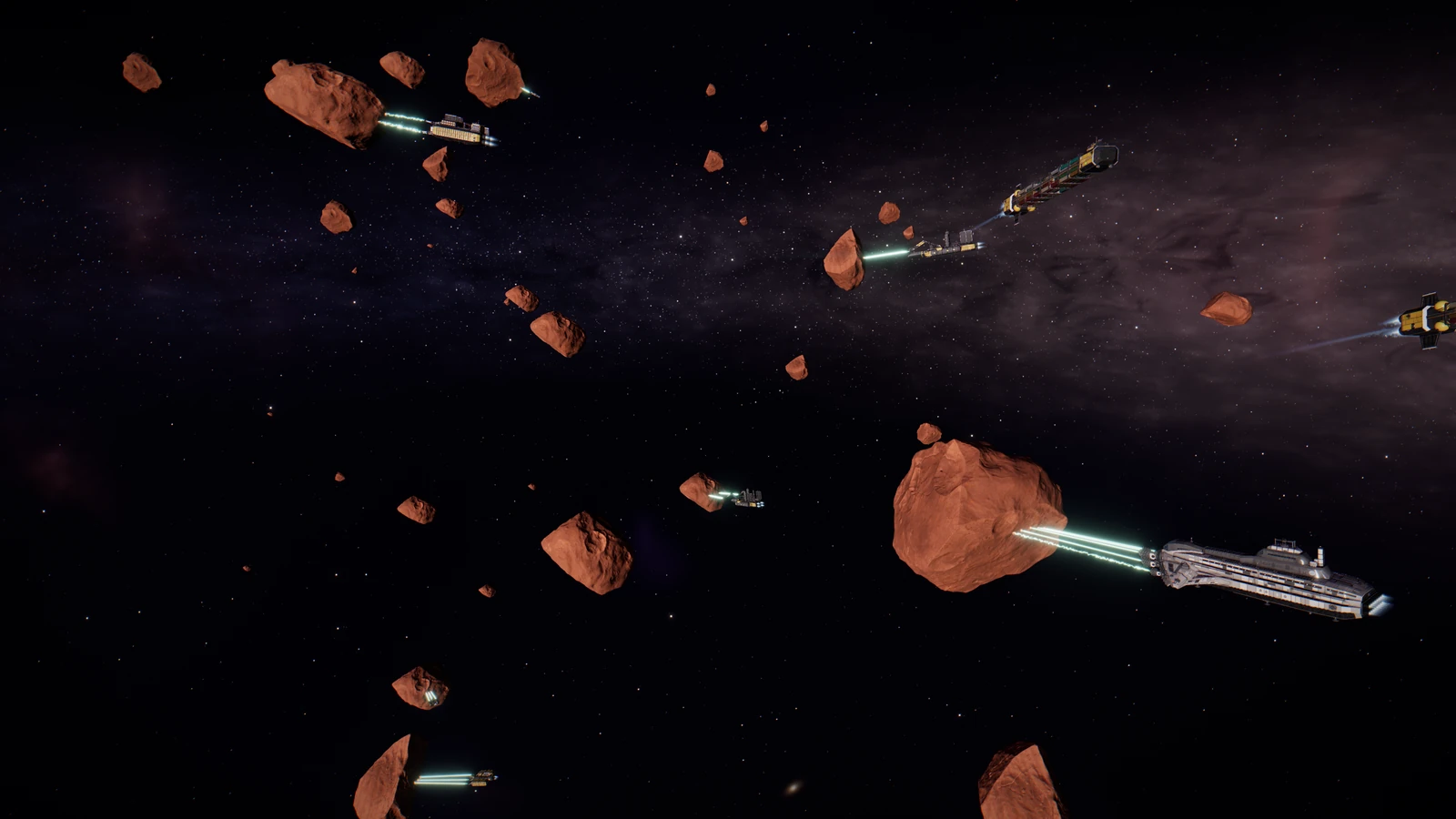
- Four belts. Every system with two or more worlds now has four asteroid belts. The belts you know stay where they are, and the new ones show on the system map.
- Mining Surge. A new event where miners crowd or a belt runs dry: a worked-out belt regrows at once, or a field of fresh rock opens beside a busy one for 30 minutes. The ore you mine is yours, and in Contested and Lawless space Crown prospectors come for the field.
- More bounty sites. Every system has four bounty sites instead of two. Your task card says whether your task counts in this system and, if not, why. At a shared site, the pack you pull and its wreck belong to you and your squad, and squad pay is split by damage.
- Where to find Infiltration grades. Each vault grade now says where it is found, in the Skills panel, on Tactical's grade chips and in the website Database.
Market
- One list for every item. Browse shows everyone buying or selling an item in one place, pilots and NPC shops alike, here or at all stations. Sellers show the full price delivered to you, and buyers show what you take home. Each row has a Buy or Sell button: pick the units, Deliver or Pick up, and confirm.
- Market website. The market pages have 7 day, 30 day, 90 day and one year charts, price changes, how much was traded, the biggest movers and the NPC shop price.
Fitting
- Smaller weapons in bigger mounts. Any turret or launcher weapon now fits a mount of its own size or larger, on an adapter you can see on the ship, and keeps its own stats. Fixed mounts and mining lasers still take their own size only.
Database and guide
- Database on the website. The game's Database is now on the website at /database: items, resources, ammo, blueprints, modules, ships, skills, quests, regions, lore and the Almanac, with sources, recipe trees and uses. It links to the market pages and back.
- Fighters and tenders. The Database has an entry for the Bodkin Strike Fighter and a Strike wings section on every hull that carries fighters, and the Combat guide has a new Fighters and tenders section. The Strike wings block on your HUD has a help tip.
Clans
- Clan window. The clan window is cleaner, with one actions menu, one line of tabs and a dot that shows which members are online. It is much easier to use on a phone, and clans in the Directory open their public page.
- Clan stats. A new Stats tab shows the clan's totals, member trends and boards.
- Leaving a clan. When a leader leaves, the confirm names who becomes the new leader. The last member sees Disband clan instead, and the treasury and vault go to them.
Controls
- Keys that don't clash. The Raid finder, Race finder and Cipher keys no longer share a key with Boost and strafe. Their new defaults are Home, End and Insert.
- More keys to bind. You can now bind Ctrl shortcuts, function keys and the mouse side buttons, and in fullscreen the game can use keys the browser would otherwise keep.
- Hangar camera. The hangar remembers the camera view you picked last.
- Leave the game?. Closing or reloading the tab while you are flying now asks first.
Improvements
- Pilot select. The login and pilot select screens look cleaner, and three new music tracks play there.
- Hangar tabs for Vanguard. Vanguard members get one line of item tabs in the Hangar: All, Ships, Modules, Blueprints, Ammo, Materials, Consumables, Quest items and Other, each with a count. Search, sort and drag work inside a tab, and the Hangar remembers the one you picked.
- Ore furnace. The furnace uses the ore in your hold right away, fills each run to what your hold and battery allow, and has a clearer panel that shows how much battery a run uses and when it is ready again.
- Chat. Delete your own messages from a line's menu. A new option keeps private messages in the PM tab only, and clicking anywhere outside the chat leaves the chat input.
- Trade post filters. The Buy and Sell tabs of a trade post's shop keep their own filters, and an empty list says when filters hide everything, with Clear filters.
- Clan ads. Clan ads in space and at colonies now open with a plain click.
- Retainer writs. The Retainer Hall's buy panel now starts at 2 hours instead of 8, so a long writ is never bought by accident.
- Invites. A new pilot can enter the code of the pilot who invited them when signing up, or add it within 24 hours in the Recruit window under Were you invited?
- Gate jumps. Gate jumps no longer get stuck on the jump screen on some browsers and older computers.
- Multiple monitors. The game now fits the new screen when you move its window to another monitor.
- Station menu. A second click on Hangar, Market, Fitting or any other station page in the docked list closes it, like Ships.
- Fitting and Tactical. Fitting has drag and drop, Unfit all and Auto fit, and Tactical can hide spent targets and salvage wrecks one after another.
Fixes
- Ships at spaceports. A ship parked at a planet spaceport now shows as here when you are docked there, with Board, and every list names the spaceport.
- Settings sliders. Sliders in Settings drag smoothly again instead of stopping after one step.
- Fitting. Module icons in the list and the unfit button on a slot are no longer cut off.
- Controller after a loss. After losing a ship, a controller could stay stuck in menu mode and the next ship could not be flown. That no longer happens.
- Name changes. When a pilot's name changes, chat mentions and other pilots' screens show the new name right away.
- Infiltration. Grade IV vaults no longer list Secure space, where they are not found.
Thank you to every pilot who reported a problem or suggested a change. Questions and feedback are welcome on Discord. The Game Guide is updated for everything above.
New to XETODUS? The Game Guide explains how the game works, chapter by chapter.