
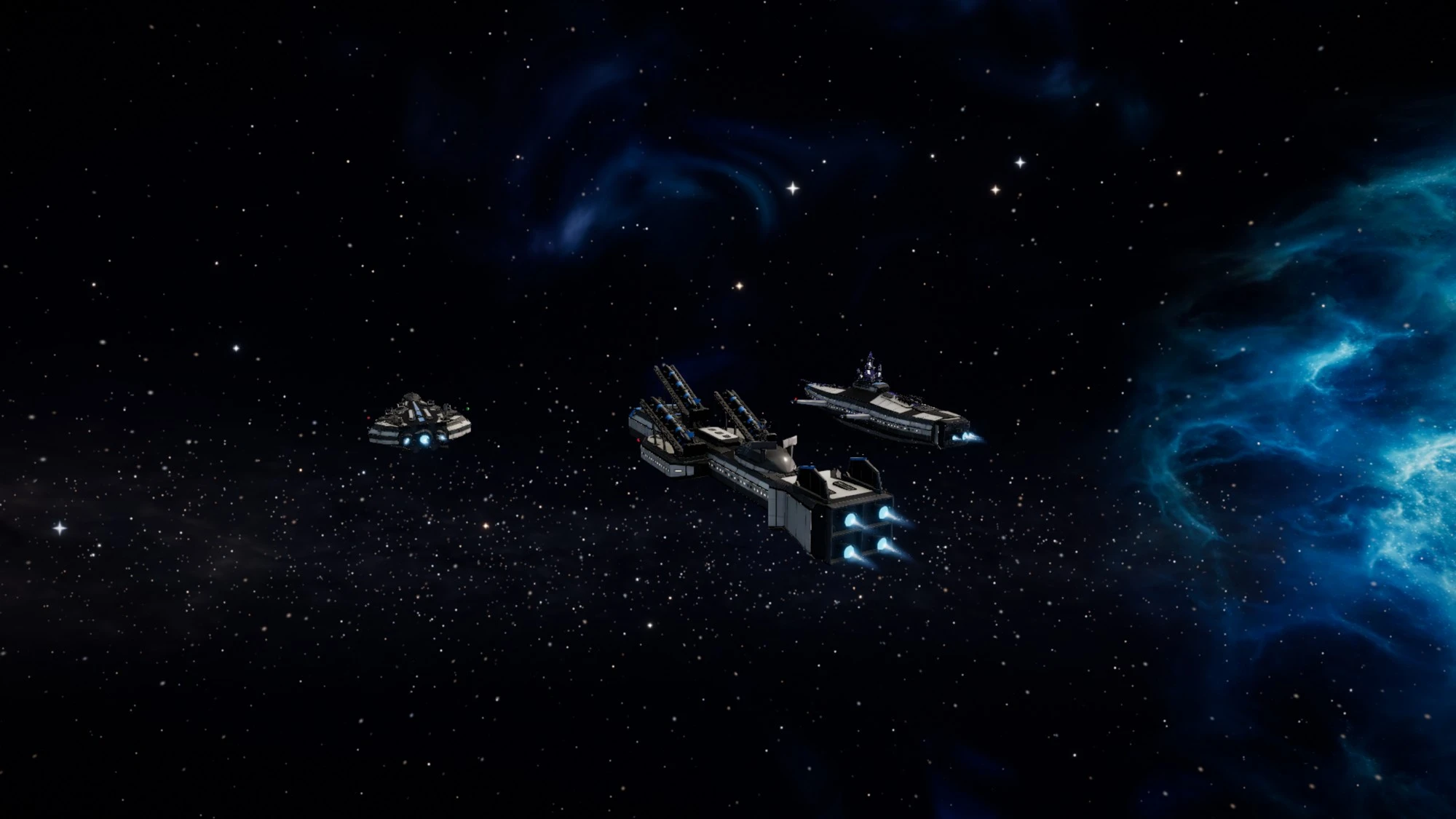
Three new ships, maps, controller support and a big round of fixes
The Antiphon, Ballista and Assize join the fleet, with a minimap, custom routes, planet maps, full controller support, a faster Droneworks, longer production runs, Tactical presets, gift codes and a long list of fixes.
This is a large update. Three new ships arrive, every skill now has quests to learn it by, the map goes all the way down to planet surfaces, the whole game plays on a controller, Droneworks builds much faster, and production gets bigger. Below it is a long list of changes that came from your reports. Thank you for every one.
New
- Apprenticeships. Seventeen skills that had no quests now have a chain of their own: Racing, Salvaging, Harvesting, Industry, Engineering, Navigation, Colonization, Trading, Captaincy, Leadership, Exploration and Piloting, plus the Vanguard skills Xenobiology, Cartography, Extraction, Reclamation and Flotilla. Each chain starts at level 1, teaches the activity on the real controls and opens its next quest as the skill grows. Finish a chain for a Journeyman Mark. Four standing orders also take salvage, bio-organics, hull plating or food rations every 3 hours.
- Deed Points. Every quest you finish once now earns Deed Points, from 1 for a short early quest up to 10 for a long, high-level one. Your total shows in the Quests window, on your pilot profile and on a new Rankings board, and some later quests ask for a points total as well as skills and earlier quests. Quests you already finished count right away. Repeatable, daily and weekly quests give no points.
- Ship banners. Earn enough Deed Points and the new Beacon Roll quests open. Finish them for a holographic Standard to fly from your ship. Standards can be traded, but only a pilot who finished the quest can fly one, and Vanguard members have two of their own. Level 99 pennants are now larger and brighter, and reaching level 120 in a skill doubles your pennant and adds a golden trail while you fly.
- Crew Command. Vanguard commanders with Flotilla 70 can post their account's other pilots as crew. Your crew fly their own ships beside you, mining, hauling and guarding while you play, and they never earn more than flying those ships yourself. You start with one crew at Flotilla 70 and gain another at 80, 90 and 99, up to four.
- Vanguard commissions. Twelve high-level commissions for Charter members, from musters in Contested and Lawless space to Rifts, Strongholds and survey work, with two commission liveries and keepsakes. The Charter Seals and Survey Ciphers you earn along the way trade only between members. If your Charter lapses, a commission pauses, and your progress and items are kept.
- Three new ships. The Antiphon is a heavy mender with five medium projectors, long reach and a deep shield (Engineering 60, Defense 40). The Assize is a fast pursuit gunship with six medium turrets (Gunnery 45, Piloting 50). The Ballista is a line breaker with three large missile launchers whose damage and reach grow with Missiles (Missiles 55, Defense 40). Find them at capital trade hubs or build them from blueprints.
- Gnatmill M. The rapid-fire grinder now comes in a medium size, so tier 3 hulls such as the Warden can use it. It needs Gunnery 40 and Engineering 25 and fires 24 damage every 0.2 seconds, best at about 2.4 km.
- Minimap. A round scope in the flight HUD shows the star, planets, belts, stations, gates, known sites, ships, wrecks, your route and your tracked quest. Choose from five ranges or the whole system, tap a body or ship to name it and get Warp, Jump, Dock or Set destination, and drag it where you like. Settings > Game > Interface sets size and opacity. It is off by default on phones.
- Custom routes. Add up to 20 waypoints on the galaxy map (press W on a system card, or hold a touch for half a second), reorder them, and press Travel route. The autopilot flies each leg in turn. Your route is remembered on this device.
- System diagram and planet maps. Zoom the galaxy map all the way in, or press Map on any planet or moon, to see the system laid out, then a zoomable surface map of the world with spaceports, colonies, free colony sites, events and your own pins. When you are low over a world, the minimap switches to a view of the ground around you.
- Full controller support. The whole game plays on a controller: flight, combat, every window, dialog and map, sign-in and the on-screen keyboard. Pick a layout in Settings > Controls (Standard, Throttle triggers, Southpaw, Precision or Flight stick), rebind any action, and use the radial wheel and Move mode to reach every command and place windows. It works with Xbox, PlayStation, Switch Pro and other standard pads, and on the Steam Deck.
- Quest tracker. The tracker starts as a small pill showing your quest and its progress. Tap it for a compact card, and drag it anywhere in the HUD layout editor. On phones it opens as a sheet.
- Droneworks, much faster. The first drone boots in 8 minutes and is fully settled in 80. The top frame, the Halcyon, boots in about 16 hours and settles in about 6.6 days. Reaching Droneworks 99 now takes about 150 hours of play. The Bay preview can be resized, and Expand pops it out into its own window. Scanner drones sweep a soft translucent fan, and the Bay gantry scans the drone on the pad.
- Drone recovery rigs. A Refined or Elite companion that is not in Standby can carry a Retrieval Reel (Droneworks 14) and catch spent ammunition: 20% of it at level 14, up to 70% at level 99 with an Elite companion and a Salvage Lattice. A Grapple Array (40) or Salvage Lattice (70) also scoops wrecks you are allowed to loot, within 800 to 2,400 m. Flares are never recovered, and energy weapons spend no ammunition.
- Longer production runs. A manufacturing job can run 1 to 100 times, or 1 to 1,000 with the Vanguard Charter. A job over 100 runs asks you to confirm. Cost and time per run are the same for everyone, and if your Charter lapses, a job already started or queued still finishes.
- Queue several. Tick every blueprint at this hangar, set runs for each, see the total time, materials and XP, and queue them all at once. If any entry is refused, nothing is queued and you see why.
- Component bundles. Hulls from tier 6 up now build from bundles of 100 components made in one run, in a fraction of the time one by one. At Industry 80 with ten slots, a tier 6 hull's whole build chain drops from about 8 days to about a day. The new Bulk Line perk at Industry 75 makes bundle runs 10% faster. The heaviest hulls (tiers 8 to 10) also have shorter final assemblies.
- Tactical presets. Save your Tactical filters as a preset. Mining, Combat, Salvage, Hauling and Exploration come built in. You can keep up to 12, rename, reorder and update them, and restore the defaults.
- Gift codes. Redeem a Vanguard Charter or permit-pack gift code in the Vanguard store (Charter and Permits tabs), in Account settings, or through the link on the website's Vanguard page. It is not offered in the Steam or iOS apps.
- Steam purchases. In the Steam app you can buy Charter time and permit packs with your Steam Wallet. Steam asks you to approve each purchase.
- Ship wrecks that look like the ship. A wrecked hull now shows the broken remains of that hull, in several variants, with cooling embers and torn plating, instead of a generic hulk.
- Player lookup. Search any pilot by name in the Rankings window, or click a name on any board, to see their public stats on one page. The same search is on the website's Leaderboards page.
- Launcher groups. Put each missile launcher in group A, B or C from its menu or Fitting, pick the active group with Shift+V or the new tile in the weapon tray, and only that group fires. The default is every launcher.
- Unstick. If you are caught inside a planet's air, a button in the HUD lifts your ship to 55 km above the surface at rest. It is not available in combat and recharges for a minute.
- Share a build in chat. Post a saved build, or a hull from the Hangar or Fitting, with Share in chat. Other pilots see a chip with its name and hull, open a preview and copy it to their own saved builds.
- Target gauge. Settings > Gameplay > Target gauge shows the target card's shield, armor and hull as Bars, Arc or Hex core.
- Wallet in space. A compact Wallet window shows your credits, Aether, Merits and last 10 transactions in flight. Open it from the menu or with Shift+I. Sending and the full wallet stay at a station.
Improvements
- Infiltration refills on a clock. Each belt keeps a stock of Drift Lockers that refills every 150 seconds up to three, whether or not you are there. Belt, gate and drift-field vaults show in Tactical for the whole system. Courier Pods also drift in belts, and XP per clean clear and the consolation for a lockout were retuned. Taking many vaults from one site in an hour still pays less after the third.
- Vaults in new places. Vaults now also sit in a ship graveyard, an abandoned outpost, a dead relay, battle debris, frozen cargo, a moon cache, orbital salvage or a gate ruin. About half still sit in belts, and the supply is the same.
- Infiltration at a glance. Every vault kind has its own Tactical icon and filter. A scan-in reveal plays when you arrive, and the Infiltration card now shows your target, alarm, patrol, timers, kit and nearby targets with actions.
- Industry links to the Market. Buy a missing material, or sell a job's output, straight from the job and return to it. Blueprints link from the Market too. A job summary breaks down its time, and jobs and queue entries are grouped.
- Manufacturing remembers. The category, blueprint, runs, blueprint location and Queue several picks come back next time. Launchers, racks and rigs are now filed under Modules, not Ordnance.
- Multi-select jettison. Select, All and None in the in-space Ship cargo panel let you jettison several stacks at once after one confirmation that lists every stack. Jettisoned cargo is destroyed, and the confirmation now says so.
- Tactical lock marks. Rows in Tactical show a ring with ticks for a locked target, a ringed dot for your firing target and a dashed ring while a lock builds.
- Compact Locked targets. The locked targets list is now one short line per lock, with relation, name, distance or lock progress and shield, armor and hull bars. The rows button brings back the detailed rows.
- Engage flies at your selection. The V key and the Engage button now fly at your Tactical selection, then your firing target, then the nearest hostile.
- Hold range. It no longer reverses far outside the range when a target closes faster than your top speed. It closes in, backs off inside the band and matches speed in it.
- Locks and firing targets. The new setting Settings > Controls > New locks become the firing target is off by default, so locking a second ship keeps your fire where it is. Set firing target on the card, or Shift+T on a locked target, moves it.
- Skip ores. While Next ore is on, the mining panel's Skip ores button lets you exclude ores from automatic mining. Mining stops with a clear message if nothing is left.
- Orbit camera. Settings > Graphics > Orbit camera stays where you leave it keeps your view after you let go. Recenter with Shift+C, a double-click or double-tap, or a double press of the right stick. Warping, jumping, docking and landing bring the chase view back.
- Tab after a click. Tab no longer jumps the browser focus after you click a Tactical preset or other HUD button. It selects the next target.
- New icons. The Gnatmill L and the drone recovery rigs have new icons, along with dozens of other items.
- Stable right-hand HUD. Incoming missiles are now one summary row, and the combat card floats beside the column, so Tactical and the target card stop jumping as missiles come and go.
- Insurance loss card. After a respawn, a card stays up with the outcome of your claim, the recorded reason and an Open Hangar button, so a voided claim is never a flash you can miss.
- Boss difficulty shown first. A world boss's tier appears on its pill, its health bar and its Almanac card before you engage.
- Scan levels. Site levels now spread out instead of most Secure-space sites sitting at level 3.
- Missile supply. Micro-Missiles are stocked at every station that sells ammunition, trade hubs and military stations hold more, and stock refills faster. The blueprint is at more foundries, one job now makes 400 rounds for five times the materials, and the Gnatmill L is sold at more stations. Drone Rig blueprints are at capital foundries.
- Missile tracking. A missile now follows its locked target after launch, turns onto a target behind it, and switches to your current lock if its target is gone. It arms a moment after launch. Still targets are hit reliably, and the tracking bonus on named-tier launchers now reaches missiles.
- Automatic missiles hold when the target is behind you. Automatic fire no longer launches a volley away from its target while you are still turning. The weapon tray shows the Arc mark until your nose comes around. Firing by hand is unchanged.
- Enemy point defense. Enemy point defense no longer shoots down the missiles of its own side.
- Browser coexistence. The new Auto mode for the frame rate cap follows your display and backs off while the GPU is busy, so a video or other app beside the game stays smooth. Background behavior (Eco, Minimal or Full speed) sets what the game does while its window is not focused, and displays above 4K render at 4K unless you turn on Full resolution above 4K under Advanced.
- Lower memory. iPhones use far less memory in the hangar, and WebGPU sessions free memory they no longer need.
- Sun, clouds and ground. The sun no longer whites out the screen, the sun's glare and rays no longer draw over ships, clouds keep their shading and soft edges on WebGPU, sand and cracked mud ground look less patterned, the ground has richer lighting, and distant terrain now casts shadows.
- Cold-gas thrusters. Ships now steer with real attitude jets: short white puffs fire from the nozzles that actually push the turn or strafe, and other pilots' ships show them too. They follow your effects, reduced motion and reduced flashing settings. The thruster pods on 30 ships were also rebuilt so they sit properly on the hull.
- New ground cover and rocks. Planet surfaces have new scenery with textured boulders that sit in the terrain, tinted to each world and lit and shadowed with it.
- Arc gauge. The ship name, battery and layer readouts each have their own place, so nothing overlaps at larger text sizes, and a low battery is marked.
- Player stations on the map. A pilot-built station can now be favorited like any station, shows on the galaxy map and the system diagram, and its sell orders appear in the trade network of nearby systems.
- Drone Bay preview. The preview now opens on a finished scene with nothing popping in, and the floor markings no longer flicker.
- Sparrow refit. The starter Sparrow's intakes, grilles and fittings now sit properly in the hull instead of clipping through it, with a cleaner tail, chin and avionics hump.
- Station list marks. Only the window in front is fully highlighted, and other open entries show a small blue dot.
- Story chapters in order. Chapter III now waits for Chapter II, and a locked chapter names the opening quest it is waiting for, with where to find it and who gives it.
- Retainers keep up. Wings now follow you through back-to-back gate jumps instead of falling minutes behind. The Captaincy 60 perk Close Escort brings every wing in the system through a gate and tightens formation in warp.
- Clan treasury history. Officers can see every deposit, withdrawal and war cost in the clan window, and the leader can lower officer withdrawal limits.
Fixes
- Stuck in a planet's air. Warp is refused only below 50 km above the ground, the message says exactly how far to climb, and a pilot dropped inside an atmosphere by a vault can lift out with Unstick. Vaults no longer appear inside a planet's air, a star or a moon's orbit.
- Cruise drive jump-back. Turning cruise off no longer throws your ship back several kilometers.
- Distress Calls. They could never succeed. They now succeed once all three waves have landed and every attacker is gone with the freighter alive, with a short grace period, the attacker count in the objective and a clear reason when one fails.
- Auto-mining after pirates. Automated mining pauses when a threat appears and resumes, instead of ending, and keeps waiting if no rock is in reach.
- Stacked bars by default. The flight gauge now defaults to Stacked bars, and the phone layouts keep your portrait clear of the readouts.
- iPhone and iPad. The hangar no longer runs the page out of memory, floating HUD widgets stay clear of the Dynamic Island and home indicator, and a stale page now updates itself with one reload instead of looping.
- Infiltration. A site that was blocked no longer loses its vaults.
- Drone Bay room. The floor and walls looked flat white for a few hours and are textured again.
- Droneworks. Bay floors and walls no longer flicker, drones no longer sink into the cradle or pass through Bay props, arms no longer cut through drones, closing the pop-out window no longer leaves blank drone previews, and every drone's camera eye now turns on its own post in a real socket instead of moving through its cover.
- WebGPU. Terrain on WebGPU no longer uses the wrong ground texture in places, and clouds no longer draw as one flat color after a graphics setting changes.
- Cargo selection. A selection survives several quick clicks in the cargo panel.
- Quests window. For a few pilots based in remote systems, one quest could stop the whole Quests window from loading. It now finds a valid destination.
- First story quest. The first step now reminds you to fit the Deep Scanner before you undock.
- Broodships. Gate adds dodged medium and large weapons and took far too long to kill. They are now bigger targets and half as fast.
Balance
- Atelier closed for now. To keep named liveries special, custom ship paint is retired and the Atelier skill leaves the Vanguard skills list. Designs you already saved stay yours: wear or delete them from the Vanguard Store, Liveries tab, under Your saved designs. Anything still in progress on the Design Bench is paid back once, and the Atelier XP and credits you earned are kept.
- No daily limits on active play. Infiltration no longer has a cap on splices, a daily take budget or a limit on Dead Drops. The paid-combat allowance is gone, and so are the daily limits on races, Rifts and paid events, Fresh Survey bonuses, Cartography filing fees and colony visits. Repeating the same spot or course pays a little less instead, and Fresh Survey can trigger once every 10 minutes.
- Droneworks pace. XP per drone is 2.5 times higher to match the faster builds. Kit prices are unchanged.
- Harvesting and Mining pacing. Harvesting now pays more XP per haul, especially at higher levels, so reaching level 99 takes roughly 180 hours of steady play instead of 300. Mining XP per cycle eases off gradually after level 40, by up to 30% near level 98, so level 99 takes roughly 100 hours. Your levels, unlocks and total XP do not change.
- Leadership pacing. A Doctrine Array now pays much more Leadership XP, and more the higher your level. Level 99 takes roughly 120 hours of active play with a wing of three instead of over a thousand, and an array running on its own still trains, at about a third of that pace. Only other players' pilots count as allies, not your own.
- Infiltration pacing. Infiltration XP per clean clear is higher at the upper grades, so level 99 takes roughly 196 hours instead of 290. Credits, loot and rates are unchanged.
- Hunting pay. Hunting pay now rises more smoothly and is flatter at the top: the best tasks pay up to 3 times the base instead of about 4.7 times.
- Xetium and Void Matter prices. Station buy orders for Xetium and Void Matter are capped at half their usual price, while ore contracts and salvage hauls pay more.
- Costs. The Bounty Office now takes a small surcharge, very large exchange days carry a levy, and repair costs scale with hull value.
Thank you to every pilot who reported a problem or suggested a change. Questions and feedback are welcome on Discord. The Game Guide is updated for everything above.
New to XETODUS? The Game Guide explains how the game works, chapter by chapter.