
Cipher Cases, Trophy Halls, clan homes and more
Cipher Cases with ship holograms, Trophy Halls with 3D trophies, clan homes with shared tech, chat commands, three voiced quests, new interface sounds, motion blur, fairer insurance and much better mission pay.
Cipher Cases open trails to hidden caches of rewards, and every pilot gets a Trophy Hall with real 3D trophies to show off and visit. Clans can make a member's station their home and build tech there together, chat understands commands such as /help and /unstick, the interface has a whole new set of sounds, combat camera shake is rebuilt so it stops jittering, and motion blur and depth of field arrive in the graphics options. Three new quests arrive fully voiced, daily and weekly missions pay far more, insurance is fairer, and you can split your turrets across several targets with Divided Fire. Follow and squad formations, a wiki-style Database, chat location links, a notification history and a long list of fixes come with it.
New
Cipher Cases
- A trail to a cache. Cipher Cases are very rare finds. Each one opens a trail that leads you through cracking its ciphers and out into space to scan, salvage, deliver and fight your way to a cache of rewards. Every trail is made for you, so no two pilots get the same one.
- Four tiers. Battered, Sealed, Encrypted and Crown-Sealed cases drop from Hollow Crown pirates, Shatterdrift elites, Rift and Stronghold clears, Hunting quarry and world bosses. A Battered trail has 2 to 3 steps, a Crown-Sealed trail 7 to 10.
- The hunt. A trail mixes clues to crack, such as ciphers, star charts and signals, with steps out in space: scan a marked point, mine or salvage a marked object, dock at a contact's station with the goods they want, or fire flares at a marked point. It ends with a fight against the guardian drones at the cache. Places stay within a few jumps of where you opened the case.
- Skill gates. Each step names the skill it needs, rising with the tier from skills up to level 20 for Battered trails to up to level 99 for Crown-Sealed ones. If you fall short, the step tells you what it needs and you keep the case to come back later.
- Rewards. A finished trail pays credits and materials, and very rarely an exclusive: mast holograms, a holo drone, hull trails, livery tokens, and single-use tools such as a cache locator, a field refinery and a system jump beacon. Every case and every reward has its own icon, and the rewards can be traded on the market or by contract. Cases themselves come only from rare drops and stay with the pilot who found them.
- Holograms on your ship. Mast holograms (faction crests, a spinning planet, a nebula orb, an Exodus ghost and a Crown emblem) float above your ship's mast with a projector beam, depth and a flicker, and the holo drone, a quad-rotor, circles your hull. Hull trails tint your drive trail. Pick them in the Look tab while the items are in your ship's hold, and pilots around you see them too.
- New liveries. The Cipherline and Crownglass livery tokens add a paint to your account.
- Titles and a record. Finishing trails earns the titles Decoder, Codebreaker, Cryptarch and Crownbreaker, a second tab keeps a record of what you have found, and the Look tab sets your cosmetics.
- Spare goods and Flares find a use. Some steps ask for food, Dusk Resin, luxury goods, consumer electronics, industrial machinery or Flares from your hold.
- Your trail, your pace. You can have one active trail per tier, extra cases wait in your hangar, and you can reseal a trail to get its case back.
Trophy Hall
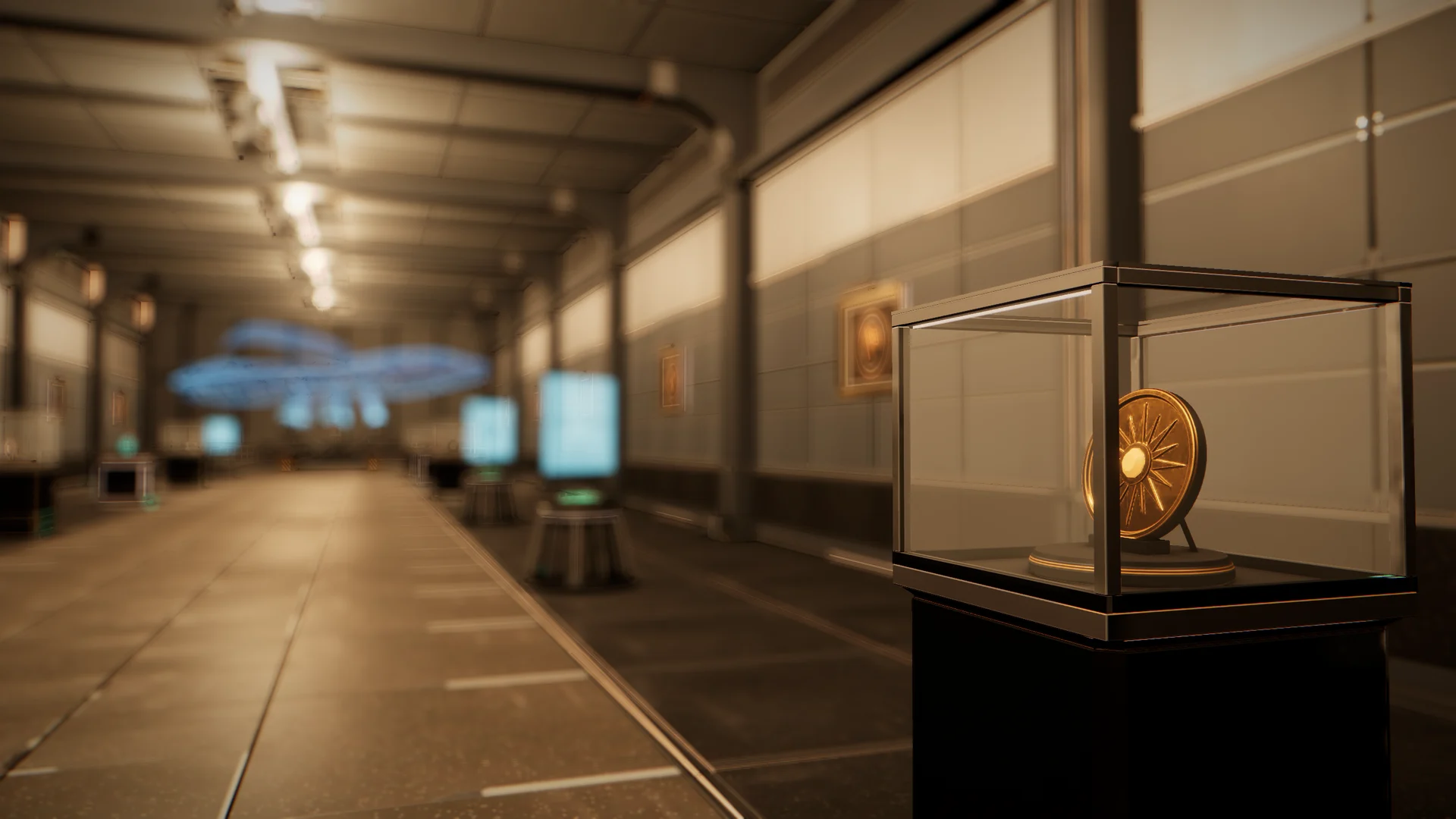
- Your own gallery. Every pilot gets a Trophy Hall attached to their home hangar: a 3D gallery for the trophies, keepsakes and ships you are proud of. Other pilots can visit it.
- Open it anywhere. From the station services, the menu under Social, My Trophy Hall on your own pilot card, or a Trophy Hall link in chat. Drag to look around, scroll or pinch to zoom, and tap a piece to frame it.
- Grow it. You start with a free Gallery of 12 spots. Larger halls reach 24 spots, and from the Hall size up a berth chamber shows off one of your ships on a cradle.
- Show what you have earned. World boss, Hunting, infiltration and extraction trophies, season collectibles, banners, Journeyman Marks, Vanguard pennants, rare named modules and whole ship hulls can all stand on plinths, in display cases, on hologram pedestals or in wall frames. Placing never uses an item up: it leaves your hangar, stays yours and comes back whenever you withdraw it.
- Real 3D trophies. World boss trophies, Hunting trophies and season keepsakes now stand on plinths and in cases as detailed 3D models that match their icons, and named weapons show on their turret models. Other pieces show a framed picture.
- A rebuilt hall. New painted walls with a lit picture rail, lit fluted columns, ceiling joists, a stone walkway with lit floor channels and richer plinths, cases, pedestals and frames. Lighting presets now tint the hall's light strips as well as its lamps, and pictures in frames sit the right way up and fit the frame.
- Holographic berth. Your ship on the berth is now shown as a detailed holographic projection rising from the berth's projector. Bigger hulls are shown at a smaller scale so even a titan fits, and the name tag shows its scale and real length.
- Fixtures and lighting. Buy plinths, a display case, hologram pedestals, gilded wall frames, a hull cradle and five lighting presets with credits and trade goods such as Industrial Machinery, Luxury Goods and Consumer Electronics. Everything is cosmetic.
- Arrange it your way. Drag an item from the hangar tray onto a spot, or tap Place on a phone. Add a caption of up to 60 characters, move or swap pieces, store fixtures, and switch the hall to Private whenever you like.
- Visit and like. Open another pilot's hall from their pilot card or Rankings profile, read each piece's caption, like it once, and share it in chat. You see your last 50 visitors, newest first.
- Hall of the week. The most popular public hall of the last seven days is featured on the Database landing page and at the top of the Almanac's Honors tab.
Quests and voices
- New story quests. Three new quests extend the story, and all of their dialogue is voiced like the rest of the quest lines.
- Wake of the Meridian. After Echoes of the Exodus, Dr. Aster sends you to the grave of the Meridian's escort in Contested space. Needs Exploration 15. Run a Deep Scanner sweep, drive off the Crown salvage crew and strip their wrecks for the escort's data cores. It rewards credits, survey gear and fixed XP in Exploration, Salvaging and Navigation.
- Muster Orders. After Crowned in Wreckage, Warden-Captain Orrin asks you to clear two Rifts of tier II or deeper and help bring down two Shatterdrift elites. He pays a whole Bastion Siege Chart, so you can lead a Stronghold raid yourself, plus credits, merits, hull braces and fixed XP in Gunnery, Leadership and Defense.
- Deep Seam. A new Mining Guild line, Deep Seams, begins with Foreman Castellan. Needs Mining 15. Cut Cobaltine past the starter belts, refine it and hand the Guild a load of Cobaltium. You get a Cobaltine-tuned laser, credits and fixed XP in Mining and Refining.
Combat
- Divided Fire. Each turret now belongs to one of four groups, A to D, and each group can fire at its own lock. Large turrets start on A and small and medium ones on B. Toggle between Focused Fire and Divided Fire from the weapon tray or with Alt+V, assign guns with Ctrl or Cmd+click, and pick a group from a lock chip. A group without a lock of its own fires at the firing target, so no gun sits idle. Colored brackets with a letter and a shape show which group is on which target, and each group has its own firing arc.
- Strike fighters. The strike wings of player carriers now fly the Bodkin, a new, much more detailed crewed fighter.
Squads and Follow
- Follow. Tell your ship to follow another pilot: it warps after them, holds a slot sized for both hulls, follows them through gates and stops with a clear reason when it cannot continue.
- Formations. Form up your squad in a wedge, a line abreast or a column. Each squadmate's menu has Warp to, Form up, Follow and Set destination. The target card has one movement control, with Approach, Follow, Orbit and Hold range in its menu, and the shortcuts are Alt+L, Alt+O and Alt+H.
Clan homes
- A home for the clan. Clans can now make a station their home and build shared tech there.
- Clan home. A member offers their open player station, and the clan leader adopts it with a charter paid from the clan treasury. A station shows a Clan home chip with the clan's tag, and the Clan home tab in the Player Stations window has a route button. A clan has one home and can move it later with a new charter.
- Build together. Officers start a project, any member can fund it from their wallet, the leader can also fund it from the treasury, and members deliver the materials from their own hangar while docked at the home. When everything is in, the build runs for a few hours to two days and the level goes online. Each line has skill requirements for the officer who starts it.
- Notice Board. Officers post notices that every member reads in the Clan home tab.
- Members' Workshop. Clan members pay none of the station owner's fees at the home: repairs first, then refining and manufacturing, then the battery overcharge.
- Revival Bay. Members can set their home point at the clan home for free in Contested and Lawless space, and the second level shortens the wait to move your home point there.
- Trophy Wall. Lists the members' open Trophy Halls, most trophies first, and one click visits.
- Watch Post. Counts the pilots and hostile NPC ships in the home's system, and one jump out at the second level. It shows counts, never names.
Chat commands
- Commands, never text. A line that starts with a slash is a command and never reaches a channel as text, so a typo can no longer leak into Global. An unknown command answers Unknown command on your own screen and stays in the input to fix. Type a slash to open a list above the input with autocomplete, or press the ? button to print every command.
- Messages and channels. /w sends a private message and /r replies to the last one. /g, /l, /f, /c, /s, /t and /h switch to Global, System, Faction, Clan, Squad, Trade and Help, or send a message there. /t is now the Trade channel. Use /w to whisper.
- Ship and travel. /unstick frees a stuck ship, /dock and /undock dock and undock, and /loc posts your location as a link.
- Pilots. /who opens a pilot card, /friend sends a friend request, /ignore and /unignore manage your block list, /invite and /leave handle your squad, and /report opens the report form for a pilot.
- Handy. /help lists everything, /time shows UTC and your local time, /ping shows your connection delay and /clear hides the lines of the open chat tab on your screen.
Chat location links
- Share a place. Shift+click, right-click or long-press a system, station, trade post, Tactical row or favorite to share it as a link in chat. Anyone can click it to see a card with Travel, Show on map, Copy and Share in chat.
- Quest links. Quests link in chat too: share one from the quest or use Share in chat, or Shift+click a quest name, and everyone gets a chip that opens it. Item pages now name the real quest where an item is found instead of an id, and clicking the name opens the quest.
- Share your route. Share your location from the chat options, or your whole route from the Autopilot card, destination and waypoints included. Hidden sites are never revealed: a link to one points to its system instead.
Camera and graphics
- Combat camera shake, reworked. The view no longer shakes constantly. Light hits and rapid fire leave the camera alone, heavy hits kick it away from the blow and settle quickly, explosions and boss slams add a low rumble, and your aim and reticle stay steady. Settings › Graphics has a Camera shake slider and two switches, Shake from my own weapons and Shake from explosions.
- Motion blur. A new graphics option blurs the view along your motion at speed, while your own ship stays sharp. Set it to Off, Low or High under Post-processing. It is on by default on High and Ultra and off on Low, Medium and phones.
- Depth of field. A new Depth of field switch gives the hangar, the Trophy Hall and the menu screens a soft, camera-style focus. It follows the same defaults as motion blur.
Database
- A wiki for the whole game. More › Database has a new landing page with a search bar, category cards, a Featured today row, Did you know facts and your recently viewed pages. Skills, quests, items, modules, ships, places, lore, factions, regions, world bosses, elites, Hunting quarry and seasonal events each have articles with an infobox and breadcrumbs. Item pages list recipes, sources and uses, and where to buy and sell with a Travel button. Every item menu has Look up in Database, and the old Resources window is now a section of it.
Hangar and industry
- Deliver from anywhere. A finished industry job now has a Deliver button wherever you are, and Deliver all finished sends every one to the hangar of its own station.
- Cargo check. Every other ship docked in your hangar has an icon-only Cargo button that opens a quick, read-only look at its hold, as a popover on desktop and a bottom sheet on a phone.
- Refine all ore. The Refinery has a Refine all ore button that refines every ore stack in your hangar in one step, after a confirmation card.
- Stock in Manufacturing. A product now shows how many you already have in the hangar or your hold.
- Builds by ship. Saved builds in the Market are grouped under collapsible ship headers with your active ship first, long names wrap to show in full, and each row has one overflow menu.
- Cargo Finder volume. The Cargo Finder shows the volume of what each station holds and the smallest ship that carries it all.
- Cargo locks. Put a padlock on an item type in a ship's hold and Unload all leaves it there. Locks show on cargo rows and tiles, a count chip lists them, and Clear item locks removes them.
- Smooth drag and drop. Item tile grids everywhere now follow your finger or mouse with a smooth ghost, tiles slide aside to show where an item will land, and the edges scroll as you drag.
Insurance, Retainers and launchers
- Fairer insurance. Replacement cover now starts the moment you buy it, with no waiting period, and losses to NPCs and hazards are covered too, with an excess. The Insurance window shows one Covered now line that says what you would be paid.
- Clear refusals. When a claim is refused, your death note, loss card and notice give one line of why, naming the hull, and one line of what you get instead, including any refund.
- Repair your Retainers. Remote repair projectors now heal Retainers: your own and those of your squad or clan mates.
- Fire launchers. A new rebindable Fire launchers key, Backspace or Numpad0 by default, fires your selected launcher at the locked target in every flight mode. The Msl button on touch screens does the same.
Liveries
- 34 new paints. Ten animated Aether paints (circuit, aurora, flowing film, molten, holographic and star field looks), twelve paints won by finishing quests and a twelve-step ladder of credit paints. The Liveries window no longer shifts its layout and opens when you are docked.
Xenobiology
- Botanical extracts. Members' harvests now yield extracts (Lumen Resin, Mendleaf Sap, Glasswing Nectar and Void Spores) that go into new field kits: Mendleaf Salve, Glasswing Ward, Aureate Brace and Voidspore Tonic. Patterns are sold at the Greenhouse Bay.
- Wild stock. Harvesting on planet surfaces turns up wild stock, which members can graft onto crops for more extract. The Spore Lure, usable by anyone who is harvesting, improves your chances of rare finds.
- New Greenhouse Bay. The bay has a new model with framed glazing, doors and a porch, and the Greenhouse tab is rebuilt as one compact toolbar row with plot tiles that show growth, time left and the expected crop.
Interface
- Notification history. A bell beside the Safety control in flight, and beside your credits when docked, keeps every toast, announcement, transmission and invite. Actions such as warp to a boss or accept an invite stay live while they apply, and a catch-up lists what happened while you were away. You can turn the history off in Settings.
- Minimize Tactical and the minimap. Both shrink to a small icon chip with a count badge and a hostile dot, and restore on a click. Shift+O and Alt+M are the shortcuts, and Start minimized switches in Settings remember your choice.
- New sounds. New and updated interface and reward sounds.
- Trade post shop. The shop is now a floating window you can drag, so Cargo, the Database, the Market and Quests open beside it instead of waiting behind it.
- Quest items marked. Items a quest still needs carry a gold quest mark in the trade post shop, the Market, contracts, cargo, the Hangar and loot, with a one-line warning before you sell or give away what the quest needs.
- Centered menu bar. The top menu bar now sits at the true center of your screen.
- Orbit options. Invert horizontal orbit and Invert vertical orbit are new in Settings › Controls, and dragging the camera now moves both axes the same way.
- Tactical ore view. Sort rocks by ore left, ore type or ore value, see a one-line summary of every ore in the belt with units and value, and read a bar and value on each rock row.
- One look for text fields. Every search, number, password and text field uses the game's own typeface and style, and every drop-down menu is now the game's compact drop-down.
Improvements
- Phones. The Hangar, ship cargo and Ships views were rebuilt for phones, with a section switch in the window head, a single list bar with a Filters sheet, a selection bar on one row and two columns when the phone is on its side. The docked station header keeps each row on one line.
- Vanguard windows. The Salvage Yard, Survey, Flotilla and Drone Bay share a compact header with your level and a How-to, and the first action sits much closer to the top of the screen on phones.
- Hunting drops show their value. Loot, task and completion cards, item tooltips, Hangar value, sorting and the Almanac count Hunting materials at what they really sell for.
- Stack values. An item tooltip for a stack shows the estimated value of each unit and of the whole stack. Large amounts such as 20B no longer print a trailing zero.
- Plating. The ablative, scrap, crystal and bulwark platings have new second-pass pieces with seats checked against every hull, so nothing floats off the edge or sinks into the plates.
- Ships land on clear ground. Trees dissolve, grass bends and flattens under the downwash, and rocks shrink away beneath a ship that is landing or has landed.
- Living wind. Grass and trees now sway in a wind that changes with the weather, and steppe worlds have their own grass look.
- Clean hulls. Letters and numbers on ships and planet structures have been replaced by clean plates, stripes and frames.
- Notifications. Clear now clears only the tab you are viewing, and Clear on All asks first.
- Event pill. The seasonal event pill can be dragged and hidden while you are docked too.
Fixes
- Orbit camera. A held orbit camera no longer keeps turning with the mouse after you release the button.
- Mine Automatically. Your ship now flies straight at the rock instead of approaching a point high above it.
- Own market orders. Your own orders never fill your own trades. The Market now marks them as yours, and Buy now and the Ask price only count other pilots' orders, so a buy no longer ends in Nothing matched.
- World bosses. A boss at 0% could escape because its shield kept regenerating. A boss under 10% that is still being hit now stays up for a last stand, shown by an hourglass on its timer, and no health readout shows 0% while a ship still lives.
- Antiphon. The scrambled white, gray and purple patchwork on its hull at Ultra HD is gone, and so are the stale hull maps that affected the Carrion, Drone Fighter, Filigree and Nightjar. A loose sliver near its dish was removed.
- Ships from behind. Distant ships such as the Carrion, Suture, Trebuchet and Colossus no longer show gaps and see-through hull walls when you view them from behind.
- Trade post shop. The detail box for a selected item no longer covers the shelf above it.
- Module stats. Module info now shows proper names such as Harvest yield, Shield regeneration and the three shield resistances instead of raw labels.
- Locked targets window. It keeps the spot you dragged it to across docking and undocking.
- Database search. Typing in the search no longer loses focus after the first letter.
- Stability. Several graphics errors and interface crashes reported from live play, including crashes in the minimap and in dialogs, are fixed.
- Owned filter. The Owned and Not owned toggles stay visible, so you can turn the filter off again without changing category.
- Phone HUD. The flight assist glyph on the touch HUD is no longer cut off, and Survey and Salvage Yard rows keep their highlight clear of the text.
- Credit amounts. The extra coin icon beside credit amounts is gone. The ₡ symbol stands on its own.
Balance
- Daily and weekly missions. Contracts now pay credits by your level in the contract's skill. A day's three dailies come to about half an hour of play at your level, a week's weeklies to a few hours, and consumables, keys and materials are on top.
- Colony income. With more than one colony, the best earner keeps the full income rate and the others follow in order of income, not in the order you founded them. Each colony card shows its rate.
- Hangar stacks. A free hangar now holds 300 stacks, up from 100, and Vanguard hangars 800, up from 500.
Thank you to every pilot who reported a problem or suggested a change. Questions and feedback are welcome on Discord. The Game Guide is updated for everything above.
New to XETODUS? The Game Guide explains how the game works, chapter by chapter.