
Outer Reaches, Frontier Gates and seven new languages
The galaxy grows to 1,725 star systems with the Outer Reaches and buildable Frontier Gates, plus seven new languages, new sky looks, a Ships window, calmer notifications and clearer Insurance and Fitting.
The galaxy grows to 1,725 star systems with the Outer Reaches, and Vanguard pilots can build Frontier Gates that open brand new systems. The game speaks seven more languages, every region has its own sky, the Mattock dredge joins the fleet, and a new Ships window shows your whole fleet. Notifications are calmer, Insurance and Fitting are clearer, Cipher Cases send you across the galaxy, and a long list of fixes comes with it.
New
Outer Reaches
- 1,725 star systems. The galaxy grows by 975 systems in 14 new regions, the Outer Reaches. Most are Vanguard regions, and two are free for everyone: Waystone Marches and Lastlight Commons.
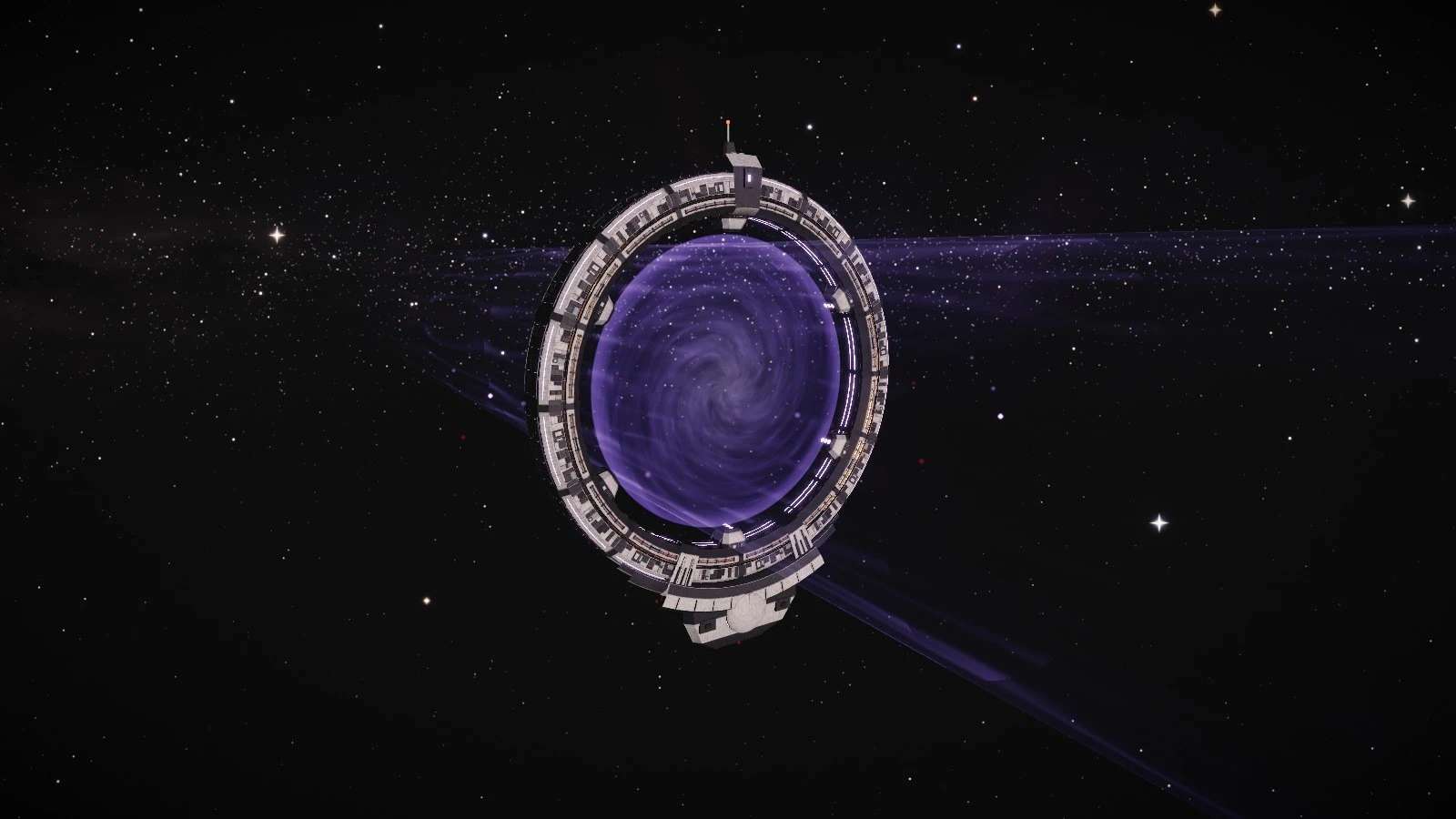
- Frontier Gates. Vanguard pilots, alone or with their clan, can build a gate that opens a brand new star system from an uncharted reserve. It is a big project built in stages, and anyone can contribute materials to it.
- You set the rules. The founder chooses who may use the gate: everyone, Vanguard pilots only, or the clan. A toll for entering is optional, and leaving is always free. The system's name is picked from generated names, and gates show on the galaxy map.
Space looks
- A sky for every region. Systems now have distinct skies by region, 16 looks in all, from deep violet and ember to teal, golden dust and ice, plus brighter skies in some regions.
- Hero nebulas. Some systems have a striking feature to fly past, such as a nebula wall, painted pillars or a star cluster.
- Lit by the sky. Hull lighting and reflections now match the sky around you, and skies are sharper on High and Ultra.
Seven new languages
- New languages. Ukrainian, Traditional Chinese (Taiwan), Italian, Indonesian, Vietnamese, Thai and Arabic. Arabic has full right-to-left support, with the game and the website mirrored.
- Voices. Every voiced quest line is spoken in all seven new languages, by the same cast.
Cipher hunts
- Across the galaxy. A Cipher trail now sends you out across the galaxy. Read the clue, fly to the system it names, sweep for the derelict it points to and do the job on the spot: scan, salvage, fire flares or work its console. The guardians come last.
- Harder cases, longer hunts. Higher tiers have more legs, longer trips, some of them into Lawless space, and tougher puzzles. Your current leg shows in the quest tracker.
Mattock
- A new tier 5 dredge. The Mattock is a deep-seam dredge for veteran miners (Mining 80, Piloting 30): five Seam Cutters on a pick-head header, a 22,000 m³ ore hold, an on-board ore furnace and +0.5% mining yield per Mining level. The hull and its blueprint are at capital trade hubs and foundries, and building one takes Industry 45.
Ships window
- Your whole fleet. A new Ships window lists every ship you own, wherever it is, as cards or a list. Search, sort, filter and group them, see each ship's state at a glance, open a detail panel for more, and rename any ship.
Fitting, Insurance and Hangar
- Fitting stats. Fitting shows a one-line strip of DPS, shield, armor, hull, cargo and range, with a breakdown for each: base, skills, hull bonus, perks and every kind of module. Stacked modules show their diminishing returns, and the module picker previews what a module would add.
- Simple Insurance. Buying cover is now two choices: where you are covered and what is covered, hull only or hull plus modules. You see the price and what you get in plain words, then Buy. Hull Bonds are explained separately.
- Resizable Hangar. On desktop you can drag the dividers between your ships, your cargo and the station hangar, and the sizes are remembered. Tablets and phones get better layouts.
- Skills for every module. A module you don't have the skills for yet stays fitted but offline: it won't switch on or give its bonus until you train the skill, and then it comes online by itself. This applies to every ship you fly, including ships handed over in Crew Command, taken from a clan vault or won in the Arena. Fitting and the module tray mark offline modules and name the skill they need.
Notifications
- Calmer for new pilots. In their first hours, routine messages go to the notification history, tips arrive one at a time and level-ups are folded together.
- Settings per category. Settings › Gameplay › Notifications lets you set each category to Toast and sound, Toast only, History only or Off. Critical notices always show.
- Less spam. A +N in history pill replaces a flood of toasts, repeated toasts merge, and a Focus switch quiets the rest during fights and races.
- Losses cannot be missed. When you lose a ship, a lasting entry stays in the notification history with the hull, system, killer and wreck countdown, what dropped into your wreck and what Insurance replaced. When you come back you get a summary. The Insurance rules are unchanged.
Flight HUD
- Backward speed. The speed readout shows a minus sign when you fly backward.
- Boss marks. Tactical and the minimap mark world bosses, and you get a warning before you jump or warp into a system with one.
- Tidier HUD. The hostiles bar no longer hides under notifications, Retainer losses fold into one counting toast, and the emergency warp button stays put.
- New raid alarm. The raid alarm has a new sound.
Trade and cargo
- Jettison caches. Jettisoned cargo now drops into a cache in space instead of being destroyed. Anyone can loot it, and you keep it to yourself for the first 5 minutes. Bound and quest items are still destroyed, and the confirmation says so.
- Buy in person. At a trade post, anything too big for your hold, such as a packaged ship, goes straight into the station hangar beside the post, so you can buy it on the spot without delivery.
Inspect
- See their look. Inspecting another pilot now shows how their ship looks: paint, mast hologram, holo drone and hull trail, ornaments, banner and regalia.
Improvements
- Trophy Hall. It loads much faster, the panel is cleaner with a tap alternative to dragging, and it works on phones.
- Motion blur. There are now four levels: Off, Low, Medium and High, and High is much stronger.
- Depth of field. Big ships stay sharp while the background blurs evenly around them.
- Cleaner hull shading. Where sunlight falls on a ship, the dark areas now have smooth edges, with no jagged lines or speckle.
- Capital ships. The Colossus, Firmament, Asterion, Aerie, Anvil and Portcullis are rebuilt with engine glow, armor plating and finer detail up close.
- Planet rocks. Planet surfaces have new rock formations, cliffs and boulders, solid and detailed up close, in colors that match the ground. Ships still land clear of them.
- Flotilla XP by space. Flotillas now earn 2.25 times the Flotilla XP per load in Contested belts and 4.5 times in Lawless belts, so the riskier space trains faster as well as paying more. Secure belts are unchanged.
- Faster trade posts. Trade post views, searches and system markets open faster.
Fixes
- Pilot card art. The Card tab in Pilot appearance and the Pilot card step of making a new pilot are no longer covered by one big card picture, so you can pick your card art and save again.
- Trophy Hall visits. Visiting a pilot's Trophy Hall from their pilot card now closes the card.
- The Third Wreck. Wrecks you strip while raiders are still arriving now count, so the quest no longer sticks at 1/3. Other quests that mix fights and salvage get the same fix.
- Targeting keys. Lock target and Next target respond every time: a slider you just used no longer blocks them, Shift+T locks the ship you picked, and both tell you when there is nothing to target.
- Long sessions. A memory leak that grew with a lot of travel is fixed.
- Page freezes. The game now reconnects cleanly after a long page freeze instead of dropping you.
- Arena History. The History tab in Battle Arenas works again.
- Fonts. Mining, harvesting and Ore Furnace panels use the game's own UI fonts.
- Phone windows. The Chat button is gone from window headers on phones. Chat still opens from the menu.
- Input styling. The fields in Inspect and the Trophy Hall match the rest of the game.
Thank you to every pilot who reported a problem or suggested a change. Questions and feedback are welcome on Discord. The Game Guide is updated for everything above.
New to XETODUS? The Game Guide explains how the game works, chapter by chapter.