
Quick chat, market history and boss kill counts
Quick chat lets every pilot read your phrases in their own language, chat can float above ships, the Market keeps a full history of your trades, boss kills now count on your profile and in Rankings, and phones get a cleaner flight HUD.
Quick chat lets you talk to pilots in any language: pick a phrase and everyone reads it in their own. Chat can now float above the speaker's ship, the Market keeps a full history of every buy and sell with its fees, and boss kills count on your pilot profile and in Rankings. Phones get a flight HUD that keeps the controls clear, and many of your reports are fixed below. Thank you for every one of them.
New
Chat
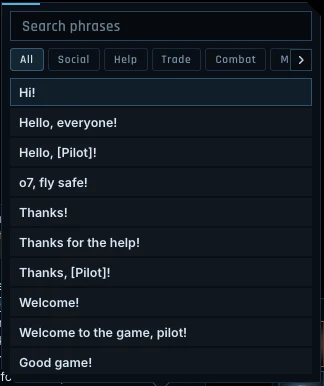
- Quick chat. A new button beside the chat input (or Alt+Q) opens a phrasebook of 148 phrases in seven groups: greetings, help, trade, combat and fleet, mining, places and short answers. Phrases can carry an item link, an amount, your location or a pilot's name. Every pilot who reads a quick chat line sees it in their own language, with amounts in their own number format. It works in every channel, in private messages and in chat history.
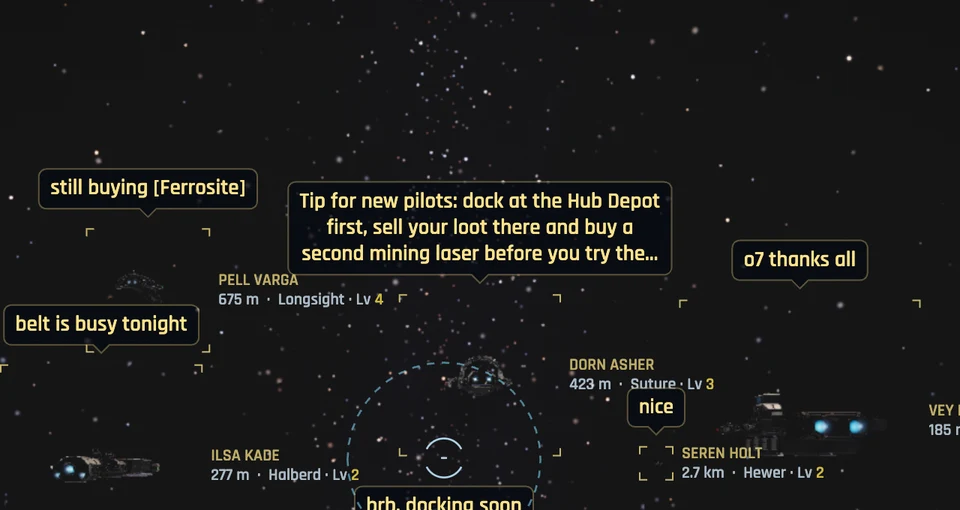
- Chat above ships. Turn on Chat above ships in Settings > Social, and what pilots say in System chat appears above their ships for a few seconds, then fades. Blocked pilots never show, your chat filter applies, and lines a moderator removes disappear from above the ship too.
Market
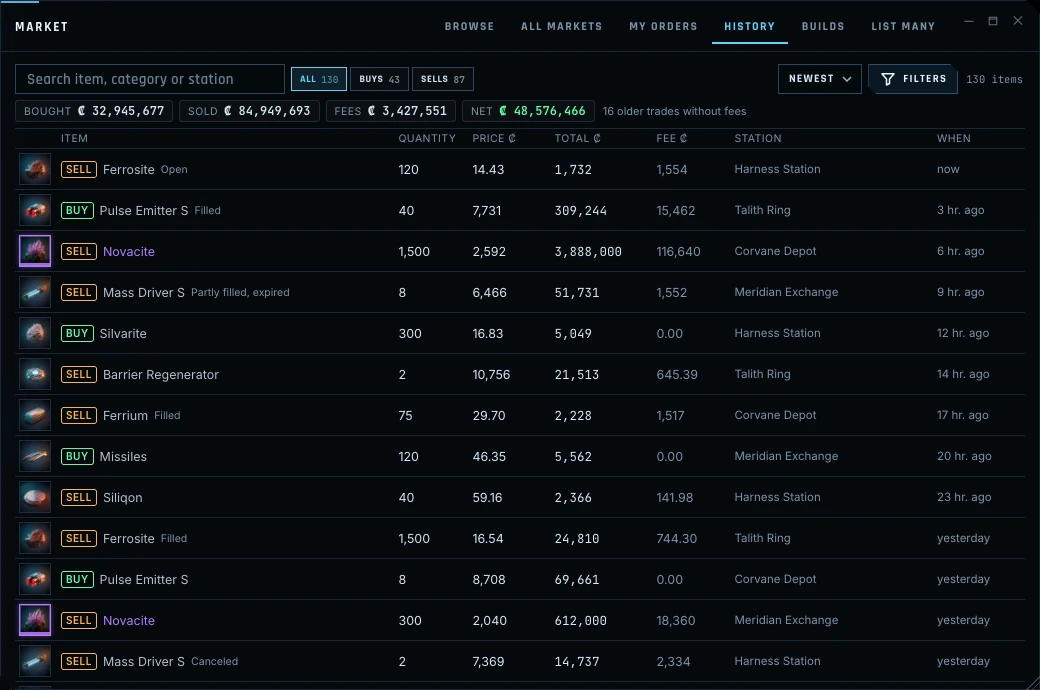
- Market history. A new History tab in the Market lists every buy and sell you have made, with the quantity, unit price, total, fees, station, where the goods went and the order it came from. Totals for Bought, Sold, Fees and Net follow your filters (buys or sells, station, category, dates and search). Open any row for the full detail. Fees and destinations are recorded from this update on.
- Sell at another market. The Market's item view has a new button to sell your stack at another station's market, the same way the Cargo finder does, with each station's price after fees.
- Market API. Vanguard pilots' Market API now includes your trade history and order history, with every fee.
Rankings
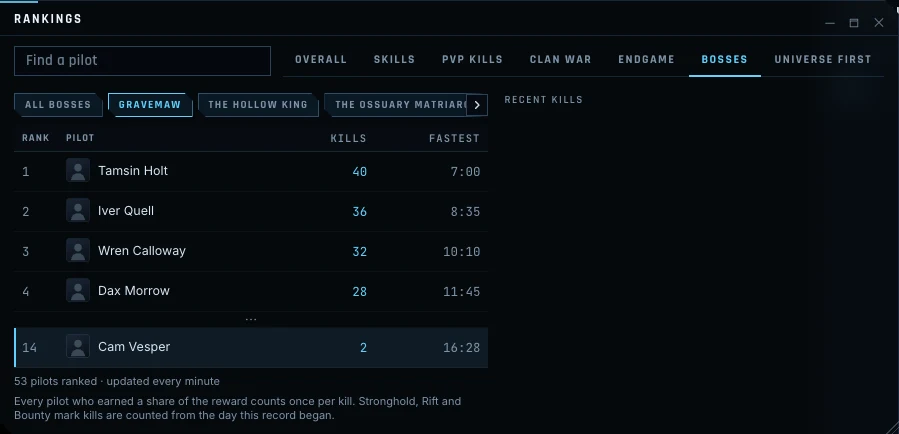
- Boss kill counts. Your pilot lookup now shows a Boss kills section with every boss you have helped defeat, your kills, your fastest kill and your rank. Rankings has a new Bosses tab with a board for each boss, and the website leaderboards have them too. World bosses, Stronghold bosses, Rift Wardens and Bounty marks all count, once per kill for every pilot who earned a share of the reward. World boss kills from before this update are already counted.
Mining
- Mine one rock by hand. Switching on a mining laser now mines the rock you have selected, and so does the new Mine button on the rock's card. The ship only flies closer if the rock is out of reach, and the lasers stop when the rock is mined out, your hold is full or you leave range. Mine automatically has a new Stop when mined out switch.
Items
- Item actions in menus. Right-click or hold an item in your Hangar or Cargo and its action comes first: Redeem a Vanguard Permit, Open a Cipher Case, Use a consumable, Fit a module, Assemble a hull and more. When an action can't be used where you are, it shows the reason.
Hunting
- Blocked tasks. The Bounty Office shows the quarry you have blocked, with an Unblock button, and you can block or unblock any quarry from its row in the Bounty Office and the Almanac. A Blocked filter shows only your blocked quarry.
Missions and racing
- Decline missions. Every Job Board offer has a Decline button, and a new offer takes its place after a short wait.
- Free flight in races. If you miss a ring in a Circuit, a banner offers Free flight (or press Z), so you can fly back to the ring by any path. The racing controls come back once you pass it.
Ships and logistics
- Send ships anywhere. Ship transfer can now send your ships to any station you can reach, not only stations where you already keep ships. Search by name or system, with your stations, recent destinations and favorites first, and each destination shows its jumps, time and fee.
- Switch builds while fitting. The Fitting window has a new Builds tab with your saved builds for the ship. Pick one to see what goes on and off and what is missing, then apply it in place from your hangar and hold. Module settings and doctrines carry over, and nothing is lost: swapped-out modules go to your hangar.
- Engage and Hold range per build. Engage movement and Hold range are remembered for each ship and can be saved with a build, so a short-range and a long-range build each keep their own distances. Settings shows where the values come from.
- Ship builds anywhere. A Ship builds button in the Fitting window, the station menu and the in-space menu opens your saved builds. Docked you can buy and fit them; in space you can view, share and rename them.
- Load in all launchers. Right-click or hold a launcher on the weapon tray and load a munition into every launcher at once, or into one launcher group, in space or docked. Launchers that can't fire it keep their load, and the notice says what loaded where. The Fitting window has the same buttons.
- Strike wing targets. Strike wings on Assist or Attack now follow the firing target you pick in Locked targets, and switch together. Set as wing target keeps a wing on one ship until it is destroyed or you give another order.
- Wing resupply. Retainer captains at Captaincy 15 can resupply a wing in space, out of combat, for the same bill a station charges, with an optional automatic resupply after each fight.
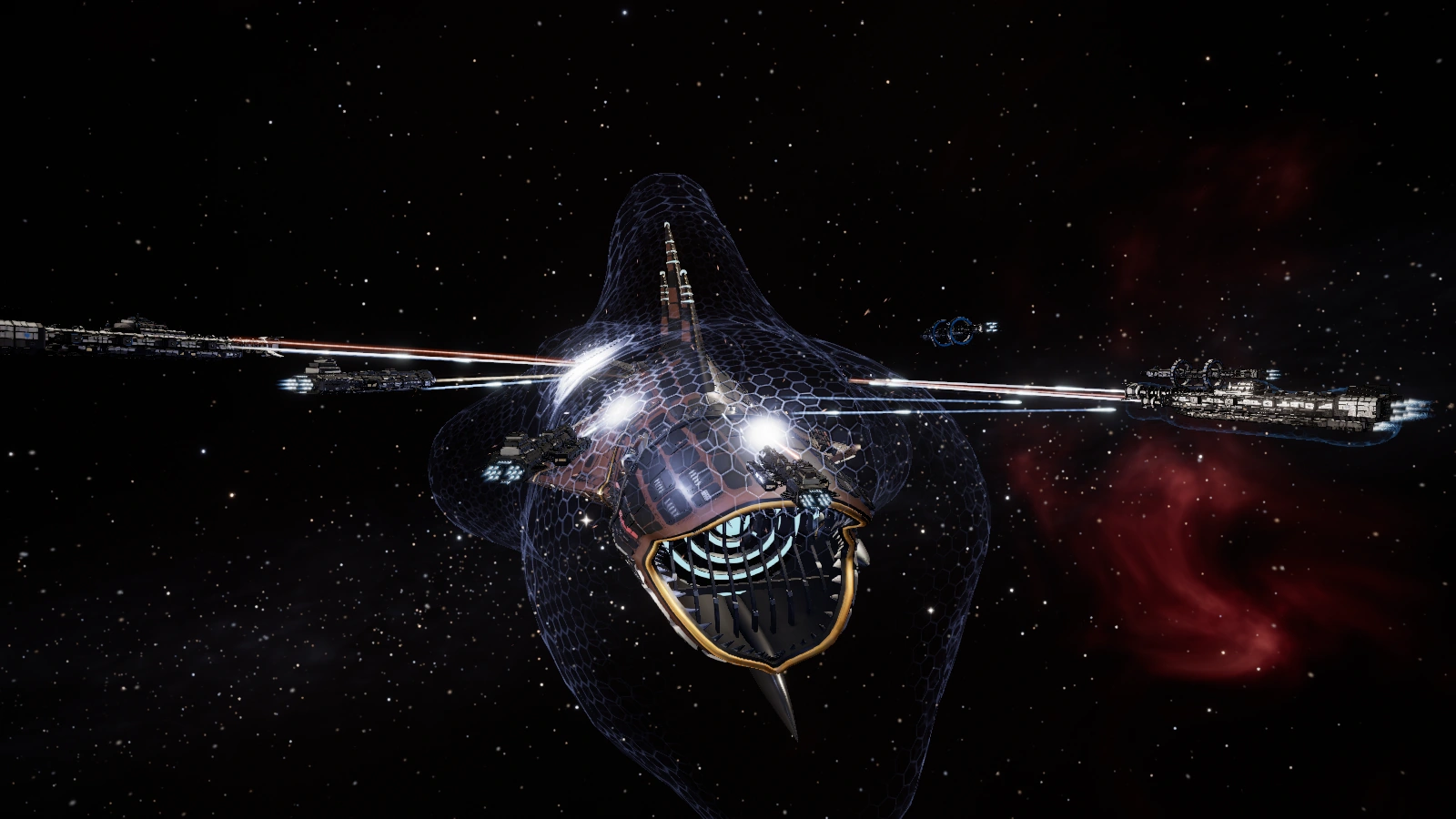
- Heronry plating and deck. The Heronry has a full plating and deck pass: plate layers and seams, walkways with recessed lights, open launch bays with lit interiors, ordnance lifts and a new flight ops cab. Its front gun mount now sits fully on the deck.
Improvements
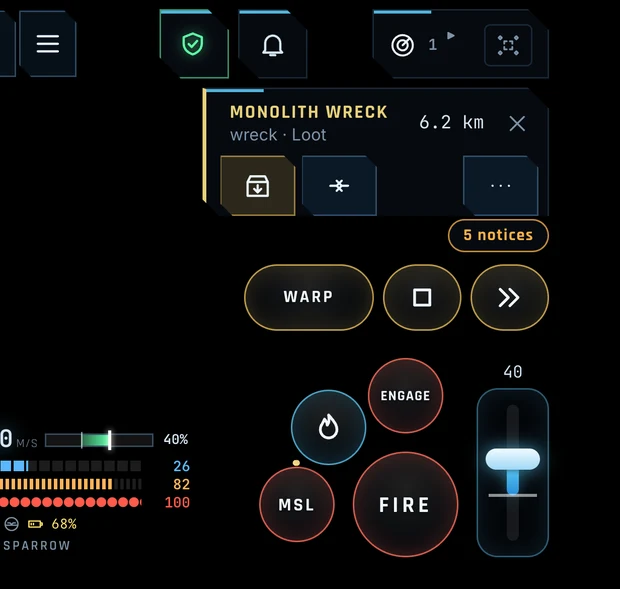
- Flight HUD on phones. Floating windows, tips and pills no longer cover the flight controls or the module tray. The target card is compact, with no scrolling: name, distance and the actions you need as icons, and ⋯ for everything else. Tap its header to fold it. Notices fold into a pill while a target card is open.
- Settings. Settings has more tabs and a clearer layout, with a new HUD tab for the layout, gauges, minimap, Tactical and overlays, and new Interface, Social, Notifications and Account tabs. Search shows which tabs have matches. Your saved settings are unchanged.
- Warp out to your favorite. Warp out (B) now takes you to your favorite station in the system if you have one, and docks you there.
- Launcher group keys. F1, F2 and F3 select launcher group A, B or C. Press the same key again to go back to all launchers. You can change them in Settings > Controls.
- Colony charter exchange. The charter exchange shows each colony with its picture and its stats and contents as icons. When you can't buy a colony, Accept says why.
- Land value map. The colony map's Land value view now fills each home, shop and lot with a clear color scale and a legend. Hover or tap a tile for its exact value.
- Database landmarks. System pages in the Database list their landmarks, with a Travel button. The Exploration guide has a new section on salvaging Derelict Megastructures.
- Safety shows the danger. The Safety button now shows the space you're in: red Lawless where any pilot can attack you whatever your Safety, amber in Contested space, and a short warning when you arrive in Lawless space.
- Vanguard Store in space. Open the Vanguard Store from the in-space menu. Hulls you buy away from a station are delivered to your home station's hangar, and the store says where before you buy.
- Station menu as icons. The station services menu can fold down to an icon bar, with names in tooltips. Your choice is saved with your settings.
- XP tracker in stations. The XP tracker and XP drops now show while you're docked too.
- Clan ads in hangars. Clan ad boards now show in view in every hangar bay, including spaceports and player stations.
- New portraits. Fourteen new pilot portraits: six military robot frames and eight pilots from across the cluster's peoples, all free to wear on your pilot card.
- Clan boss summons, clan only. When your clan summons a world boss, choose Clan only or Public. Clan only, the default, tells only your clan before it arrives; pilots already in the system still see the boss once it is there.
- Full screen on lower-end PCs. On lower-end graphics, full screen now draws the same number of pixels as a window, so it runs far smoother than before. Turn on Full resolution in Settings to draw every pixel of your screen instead.
- Google Play. The Android app is on Google Play, and the website's front page now links to it.
- Smoother play. The game server runs more smoothly when markets update, and the game uses less memory over long sessions.
Fixes
- Looting in Lawless space. Taking loot from another pilot's wreck in Lawless space no longer needs a change of Safety and no longer makes you a Suspect.
- Bounty packs for several pilots. When several pilots of one account hunt at once, the bounty pack now goes to each of them in turn instead of always the same pilot.
- Tactical search. Pressing Enter in the Tactical search now always leaves the search box, so keys like J (warp) work right away. It picks the first match only when you have no target yet.
- Sell from here. Choosing Ship and list no longer leaves the Sell from here window open over the confirmation.
- Boss timer. The world boss banner counts down every second again and clears as soon as the boss is defeated or leaves, with no need to warp, dock or jump.
- Colony sales during a breach. A colony can no longer be sold while a breach is underway, and sellers now get a notice when their colony sells.
Balance
- Charter-Pattern builds. Charter-Pattern modules now take the Epic materials of their size and a 40-minute job to build, so they cost more to make than the Exodus-Pattern versions below them. The Charter Hold Extension and Charter Mining Laser M need Industry 25, and the other Charter builds need Industry 35. Modules you already own are unchanged.
Thank you to every pilot who reported a problem or suggested a change. Questions and feedback are welcome on Discord. The Game Guide is updated for everything above.
New to XETODUS? The Game Guide explains how the game works, chapter by chapter.